Image Cropper
Official Cropping Tool for Sarkari Rojgar Exams
Click or Drag image here to start cropping
Crop Image Online Free: Fast & Easy Image Cropping Tool
Are you struggling to crop your photo or signature for a government job application? Many official portals like SSC, UPSC, IBPS, and State PSCs have very strict requirements for image dimensions and ratios. If your photo isn’t perfect, your application could be rejected.
At Sarkari Rojgar, we have built the ultimate Crop Image Online Free tool to help students and job seekers crop their documents perfectly in seconds. No software installation, no registration, and 100% free!
Why Use the Sarkari Rojgar Online Image Cropper?
Our tool isn’t just a basic image cropper. It is a professional-grade editor designed specifically for the needs of Indian students.
1. Pre-defined Aspect Ratios for Exams
Stop guessing the dimensions! Our tool comes with built-in presets for:
- SSC Photo Crop: Perfect 3.5 : 4.5 ratio.
- Bank Signature Crop: Ideal 140 x 60 px ratio for IBPS and SBI.
- UPSC/Square Crop: 1:1 ratio for standardized forms.
- Passport Size: Standard 4:3 ratio for official use.
2. Advanced Editing Tools
Sometimes a simple crop isn’t enough. Our tool includes a Blue Tools sidebar where you can:
- Rotate ↻: Fix photos taken sideways on your mobile.
- Flip H/V: Correct mirrored images or orientation.
- Freeform Crop: Manually select any area of the image.
3. No Quality Loss
Most online tools compress your image so much that it becomes blurry. Our tool uses high-quality rendering to ensure your cropped photo remains sharp and clear, even at small sizes.
4. Privacy Guaranteed
We value your privacy. Unlike other websites, your images are processed locally in your browser. They are never uploaded to our server, making it 100% secure for Aadhaar cards, PAN cards, and personal photos.
How to Crop Images for Govt Jobs (Step-by-Step)
Using our Online Image Cropper is as easy as 1-2-3:
- Upload Your Image: Click the “Select Image” button or drag and drop your photo/signature into the blue box.
- Select Your Ratio: Choose from our presets (like SSC Photo or Bank Sign) or use the “Freeform” mode to move the crop box manually.
- Adjust & Rotate: Use our Blue Tools to rotate or flip the image if needed.
- Download: Choose your format (JPG, WebP, or PNG) and click “Download Cropped Image.”
Frequently Asked Questions (FAQs)
Is this image crop free to use?
Yes, the Sarkari Rojgar Image Cropper is completely free. You can crop as many images as you want without any hidden charges or watermarks.
Which format is best for government job forms?
Most government websites like SSC and UPSC prefer JPG/JPEG format. Our tool allows you to save your cropped image directly as a high-quality JPG.
Can I crop my signature on a mobile phone?
Absolutely! Our tool is fully mobile-responsive. You can take a photo of your signature with your phone, upload it here, use the B&W filter (available in our Resizer tool), and crop it perfectly for your form.
Will my photo be safe?
Yes. Your photos are processed inside your own browser window. We do not store or see your personal documents.
Crop Image Online Free - Fast & Easy Image Cropper Tool | Sarkari Rojgar
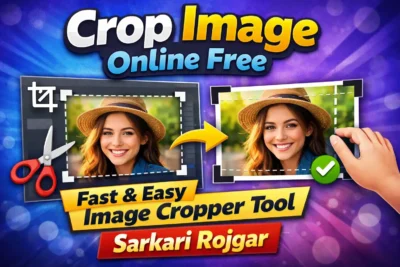
Crop your photo and signature to exact ratios like 3.5x4.5 cm for SSC and UPSC applications. High-quality cropping for government job portals.
Price Currency: USD
Operating System: Web Browser, Android, iOS, Windows, macOS
Application Category: MultimediaApplication
4.8