JPG to PDF Converter
Convert certificates & documents into professional PDF files
Tap to upload documents
Document Queue
Why Use the Sarkari Rojgar JPG to PDF Tool?
Generic online converters often create oversized files or messy layouts. Our tool is optimized for the strict requirements of Indian competitive exams.
1. Merge Multiple Images into One PDF
If you have a two-page marksheet or multiple certificates (10th, 12th, and Graduation), you can upload them all together. Our tool will merge all images into a single PDF document, making it ready for one-click upload.
2. Standard A4 Page Size
Most government forms require documents to be in A4 Size. Our converter allows you to select the A4 preset, ensuring your photos look like professional scans and won’t be rejected by the portal.
3. 100% Secure & Private
We know your documents (Aadhaar, Marksheets) are sensitive. Unlike other sites, we do not upload your files to any server. All conversion happens locally in your browser. Your data never leaves your device!
4. Fast and No Watermark
Get high-quality PDFs without any annoying watermarks. It is completely free to use for unlimited documents.
How to Convert Photo to PDF for Exam Forms?
- Upload Images: Click “Select JPG/PNG Images” and choose the photos of your certificates.
- Adjust Settings:
- Set Orientation to Portrait.
- Set Page Size to A4.
- Choose Merge into ONE PDF if you want all images in one file.
- Convert: Click the “Convert to PDF” button.
- Download: Your file will be saved to your device instantly.
Common Document Upload Requirements
| Exam Portal | Required Format | Typical Page Size |
| SSC (Staff Selection) | A4 / Fit to Image | |
| UPSC (Civil Services) | A4 Standard | |
| State PSCs | PDF / JPG | A4 |
| IBPS / SBI Bank | A4 |
Frequently Asked Questions (FAQs)
Can I convert my mobile-clicked photo to PDF?
Yes! Simply take a clear photo of your document with your phone, upload it to our JPG to PDF converter, and save it as a PDF. It will look like a professional scan.
How do I combine two images into one PDF?
Upload both images to the tool. Ensure the “Merge Option” is set to “Merge into ONE PDF” and click convert. The tool will join them into a single two-page PDF.
Is there a limit on the number of images?
No. You can merge as many certificates as you need into one PDF. This is very helpful for adding semester-wise marksheets into a single file.
Is the JPG to PDF converter free?
Yes, the tool on Sarkari Rojgar is 100% free with no hidden charges or registrations.
Will my PDF file be under the size limit?
Our tool creates highly optimized PDFs. If the portal has a very strict KB limit (e.g., under 200KB), we recommend using our Image Resizer tool first to reduce the JPG size, then converting it to PDF.
JPG to PDF Converter Online Free
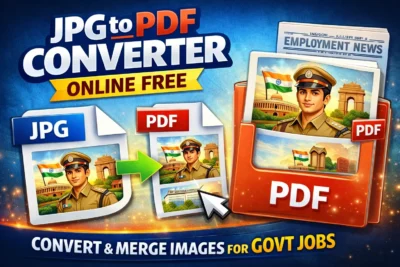
JPG to PDF Converter Online Free - Convert your marksheets and certificates from JPG to PDF online for free. Merge multiple images into one PDF for SSC, UPSC, and Bank job applications.
Price Currency: USD
Operating System: Web Browser, Android, iOS
Application Category: UtilityApplication
4.9